
Affiliate Disclosure
Some links on this page are affiliate links. As an Amazon Associate, we earn from qualifying purchases — at no extra cost to you. We do not buy, test, or physically handle the products we cover; our rankings come from aggregated owner reviews, ratings and expert consensus. Commissions never change our verdicts. How we rank & full disclosure.
You plug in a cheap Bluetooth dongle, fire up an app, and within seconds your phone is spitting out a four-digit code that tells you exactly why your check-engine light came on. That whole chain of events is only possible because of a standard called OBD2 — and once you understand what it actually is, reading codes stops feeling like guesswork and starts feeling like a genuine superpower.
This page covers the essentials: what OBD stands for, how the standard evolved, where the port lives in your car, what the system monitors, and why the communication protocol matters. If you already know the basics and want to jump straight into pulling a code, head over to our step-by-step guide on reading a code.
OBD: On-Board Diagnostics
OBD stands for On-Board Diagnostics. The idea is straightforward: your car's computer monitors its own systems while you drive, detects when something falls outside the expected range, stores a trouble code, and flags the problem — usually by lighting up the malfunction indicator lamp (MIL), better known as the check-engine light.
The "2" in OBD2 (also written OBD-II) tells you this is the standardized second generation of the system. The first generation, OBD-I, appeared in California-sold vehicles from the mid-1980s onward, but manufacturers used proprietary connectors, proprietary protocols, and proprietary code definitions. If you owned a 1991 Honda you needed a Honda-specific tool. If you then bought a Ford you needed a different one. OBD-I was a step forward, but it was a fragmented mess.
OBD-II fixed that by mandating a single connector shape, a common set of diagnostic trouble codes (DTCs), and a set of defined communication protocols — all applying to every passenger car sold in a given market. One scanner, any car. That is the entire value proposition.
The Mandate Timeline: When OBD2 Became Law
Emissions regulation drove the push toward standardization, and the timeline played out market by market:
- United States, 1996 — The Environmental Protection Agency required OBD-II compliance on all gas-powered passenger cars and light trucks sold in the US from the 1996 model year onward. California had already started mandating it for 1994 model-year vehicles under CARB rules. This is the benchmark date most of the internet refers to when it says "all cars since 1996 have OBD2."
- Europe (EOBD), 2001 / 2004 — The European Union introduced its own version, called EOBD (European On-Board Diagnostics), which is functionally identical to OBD-II. It became mandatory for gas cars from 1 January 2001 and for diesel cars from 1 January 2004.
The practical upshot: if your car was built for and sold in the US after 1996 (or Europe after 2001 for gas, 2004 for diesel), it has a standardized OBD2 port and your generic scanner will communicate with it.
JDM note: Japanese-domestic-market vehicles follow a different timeline and the compliance picture is more nuanced. Domestic Japanese regulations did not mirror the US mandate, so many grey-import JDM vehicles — even from the early 2000s — may have partial or non-standard OBD2 implementation. If you are working on an import, see our dedicated page on OBD2 on JDM imports before assuming a generic scanner will give you full coverage.
The Connector: J1962 Port, 16 Pins, and Where to Find It
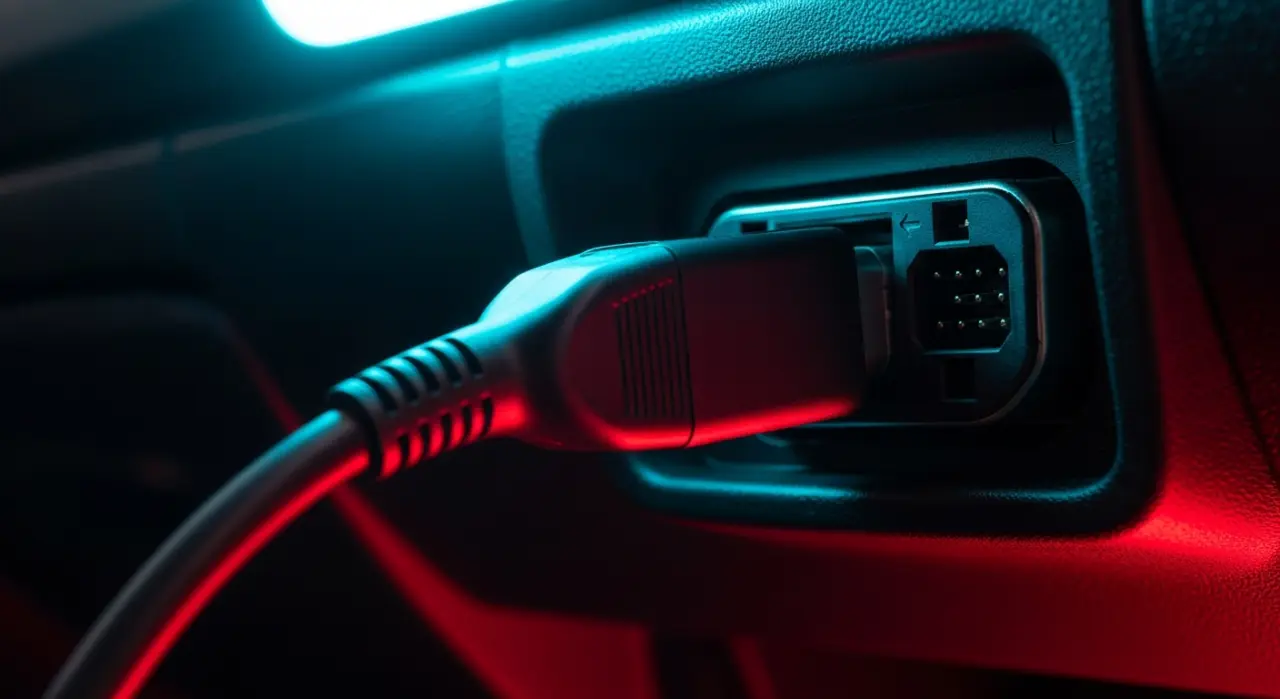
Every OBD2-compliant vehicle uses the same physical connector, defined by SAE standard J1962. It is a 16-pin, D-shaped (trapezoidal) female socket mounted in the cabin — no tools needed to access it.
The standard requires it to be located within roughly two feet of the steering wheel, below the dashboard, and accessible without removing any panels or covers. In the vast majority of cars you will find it:
- Under the driver-side dash, either visible or behind a small plastic flap
- Occasionally in the center console area on European models
- Rarely, but legally, within the glovebox
The 16 pins are not all used the same way across every car. Specific pins are standardized — pin 4 is chassis ground, pin 16 is battery positive (which is why the scanner powers up the moment you plug it in), and the communication pins vary depending on which protocol the vehicle uses. Pins 6 and 14 carry CAN bus High and Low respectively on modern vehicles; older protocols use different pin assignments.
You do not need to memorize the pinout to read codes. But understanding that the port is physically standardized while the electrical signaling behind it can vary helps explain why some older scanners cannot talk to some older cars — and why the protocol story matters.
What OBD2 Actually Monitors
OBD2 was mandated primarily as an emissions compliance tool, so its monitoring scope is anchored to systems that affect how cleanly your engine burns fuel and processes exhaust:
- Engine management — fuel trims, injector performance, ignition timing, misfire detection (a misfiring cylinder dumps raw hydrocarbons into the exhaust)
- Oxygen sensors — upstream (pre-cat) and downstream (post-cat) sensors confirming combustion efficiency and catalytic converter function
- Catalytic converter — monitored for efficiency via the oxygen sensor comparison
- Evaporative emissions (EVAP) system — the sealed fuel system that captures fuel vapor, one of the most common sources of codes
- Exhaust gas recirculation (EGR) — NOx reduction system
- Secondary air injection (where fitted)
- Fuel system and fuel trim — running rich or lean outside acceptable windows
The ECU (engine control unit) runs continuous and periodic self-tests called readiness monitors. When a monitored value falls outside its acceptable window, the ECU stores a diagnostic trouble code (DTC) and, if the fault persists across a defined number of drive cycles, it illuminates the MIL — malfunction indicator lamp — the check-engine light on your dash.
Codes are stored in non-volatile memory. They survive the ignition being switched off. They can only be cleared by a scanner command or, in some cases, by disconnecting the battery (though that also clears your readiness monitors, which matters if you are trying to pass an emissions test). For a full breakdown of what those four-digit codes actually mean, read our guide to understanding the code format.
The Five OBD2 Protocols
This is where things get slightly technical, but it is worth understanding at a high level because it explains why an older scanner might fail on an older vehicle even when the plug fits.
OBD2 defined five communication protocols. Different manufacturers adopted different ones through the 1990s and 2000s:
- SAE J1850 PWM (Pulse Width Modulation) — used by Ford vehicles through much of the late 1990s and 2000s. Runs at 41.6 kbps. Two-wire differential signaling.
- SAE J1850 VPW (Variable Pulse Width) — used by General Motors. Runs at 10.4 kbps. Single-wire signaling. Slower and simpler than PWM.
- ISO 9141-2 — used widely by European and Asian manufacturers (Chrysler also adopted it). Asynchronous serial at 10.4 kbps. Similar in concept to a simple serial UART link.
- ISO 14230 KWP2000 (Keyword Protocol 2000) — an evolution of ISO 9141, also widely used by European and Asian manufacturers. Faster initialization, supports higher data rates.
- ISO 15765-4 CAN (Controller Area Network) — mandated in all US-sold vehicles from the 2008 model year onward. CAN bus was already common in European vehicles from the mid-2000s. It is faster, more robust, and the protocol behind every modern OBD2 scanner that works reliably on anything built in the last 15 years.
When you plug a scanner in, it does not magically know which protocol the car uses. It goes through an initialization sequence — essentially trying each protocol until one responds. Budget scanners sometimes handle this poorly. A quality scanner or a well-written Bluetooth app handles it automatically and transparently.
If your car was built after 2008 and sold in the US, it is CAN bus. Full stop. Pre-2008 vehicles are where you might encounter the legacy protocols, and a J1850 VPW GM from 1998 will not respond the same way to a scanner that only speaks CAN.
What a Scanner Actually Talks To
When you connect a scanner and request data, you are communicating with one or more electronic control units (ECUs) inside the vehicle via the OBD2 port, which acts as a gateway to the vehicle's internal network.
In OBD2 terms, the primary target is always the powertrain control module (PCM) — which in most cars is a combined engine and transmission controller. The standardized OBD2 service modes (Mode 01 through Mode 0A) give you access to:
- Mode 01 — current live sensor data (parameter IDs, or PIDs: engine RPM, coolant temp, vehicle speed, O2 sensor voltages, fuel trim percentages, and dozens more)
- Mode 02 — freeze frame data (the snapshot of sensor values captured at the moment a fault code was set)
- Mode 03 — stored trouble codes (the DTCs driving your check-engine light)
- Mode 04 — clear trouble codes and reset readiness monitors
- Mode 05 / 06 — O2 sensor test results and on-board monitoring test results
- Mode 09 — vehicle information (VIN, calibration IDs)
Beyond the standardized modes, manufacturers also expose enhanced or proprietary PIDs — data that lives outside the OBD2 spec. ABS, airbags, transmission-specific codes, and body electronics typically require manufacturer-specific scanner software or an advanced tool to access. A generic OBD2 reader only sees the standardized powertrain data. That is usually enough to diagnose a check-engine light, but it is not the full picture of what the vehicle's network contains.
Why This Matters for Your DIY Work
Understanding OBD2 as a system — not just a port you plug things into — helps you make better decisions. You will know why a $15 ELM327 clone is fine for reading a misfire code on a 2015 Civic but might struggle with a 1999 Camaro running a legacy protocol. You will know why clearing codes without fixing the fault is pointless — the ECU will just set the code again once the fault is detected across enough drive cycles. And you will know that the check-engine light is not a death sentence; it is the car doing exactly what it was designed to do.
Start with the OBD2 code reading hub for the full series, or move straight to how to read a code step by step if you have a scanner in hand and a light on your dash right now.
Recommended Products

Best for DIYers who want pro data on their phone
- Full OEM-level code coverage
- Repair reports from real fixes
- Reads ABS/SRS/live data
- Works with iOS & Android
Why buy it: the best all-round scanner — pro-grade data through a polished phone app, and the easiest way to turn a raw OBD2 code into a plain-English diagnosis.

Best for a standalone tool with no phone needed
- Color screen, no phone needed
- Live data & freeze frame
- Reads & clears CEL codes
Why buy it: a dependable standalone handheld for everyday code work — plug it into the OBD2 port, read the code, and clear the light without an app.

Best for the best budget Bluetooth all-rounder
- Fast, secure Bluetooth
- Deep OEM & live data
- Works iOS & Android
- No battery drain
Why buy it: the most capable budget dongle — fast, secure and deep, it plugs into the same OBD2 port and streams live data to your phone.

Best for the check-engine basics on the tightest budget
- Reads & clears basic codes
- Freeze-frame data
- Simple one-button use
Why buy it: a cheap, reliable code reader for the check-engine basics — all most owners need to find out why the light came on.
Prices are pulled from Amazon and were accurate as of Aug 22, 2026, 6:54 PM EDT. Product prices and availability are subject to change — the live price is shown on Amazon.